
Undo
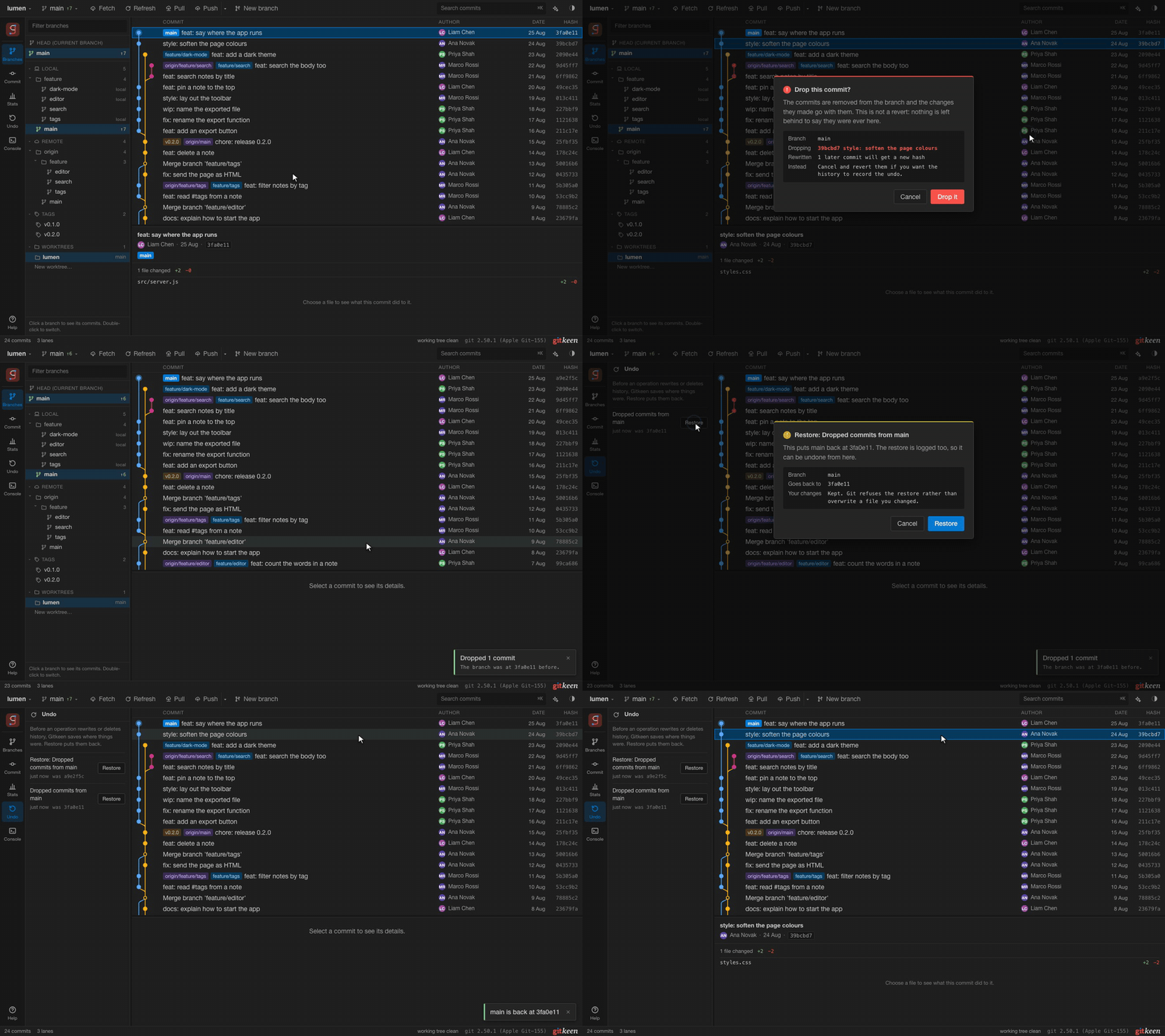
Before an operation rewrites or deletes history, Gitkeen saves where the affected branch, tag or stash pointed. This is a recovery point. It keeps the old commits safe from Git’s garbage collection, and it never appears in the graph.
Choose Undo in the rail to see these operations, newest first. Restore puts things back the way they were before the operation:
| Operation | What Restore does |
|---|---|
| Reset, squash, drop, move, rebase or amend | Moves the branch back to its old commit. |
| Delete a branch | Creates the branch again at its old commit. |
| Delete a tag | Creates the tag again, if no other tag has taken its name. |
| Drop a stash, or unstash some of its files | Puts the whole stash back on the stash list. |
| Force push | Creates a local branch recovered/<branch> at the commit the remote had. Push it yourself to put the remote back. |
| Roll back a file, a hunk or a line | Writes back what the file held before. |
A restore is logged too, so you can undo a restore the same way.
| Case | What happens |
|---|---|
| You restore the branch you are on | Your uncommitted changes are kept. |
| The restore would overwrite a file you changed | Git refuses, and nothing moves. |
| A merge, rebase or other operation is open | Nothing can be restored until you finish or abandon it. |
The log keeps the newest 100 operations. It is stored in the repository’s
.git folder, so it belongs to the repository, and git for-each-ref refs/gitkeen/recovery lists the recovery points.
Uncommitted work that you throw away with a hard reset cannot be restored, because Git never recorded it. The reset dialog asks a second time for that reason.