The commit panel
Tick files to stage them, or open the diff viewer to stage single hunks and lines. Amend the last commit, sign it, or set work aside in a stash.
Committing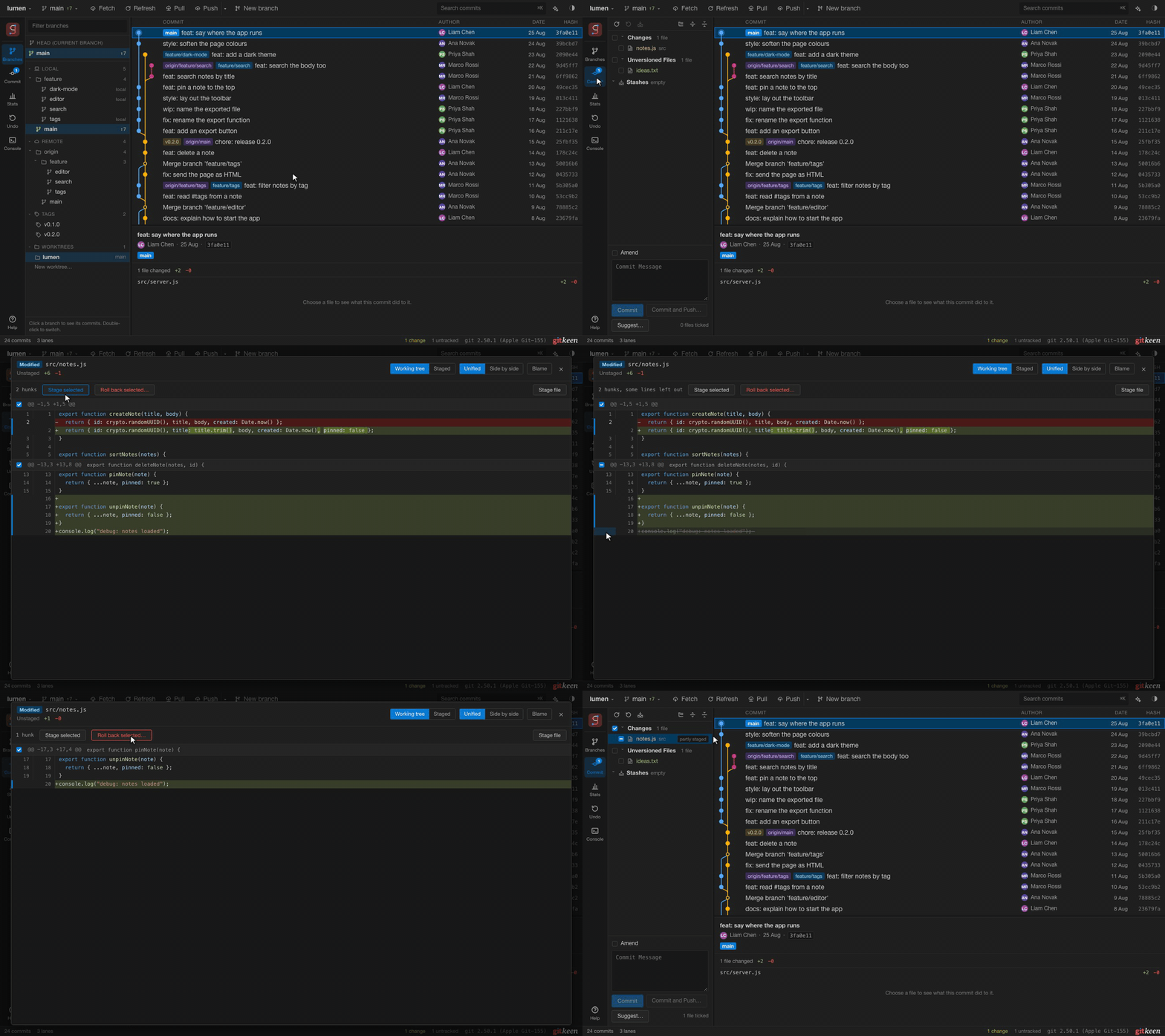

A visual Git client for macOS, Windows and Linux. See the whole commit graph, commit exactly the lines you want, and change history with a few clicks. Before anything risky happens, Gitkeen tells you what it will do, and afterwards the Undo panel can put it back.
On the Releases page, open the newest release and under Assets choose Gitkeen-macOS-Apple-silicon.dmg (Apple silicon (M1 and newer)) or Gitkeen-macOS-Intel.dmg (Intel).
You also need Git 2.30 or newer. Installing Gitkeen
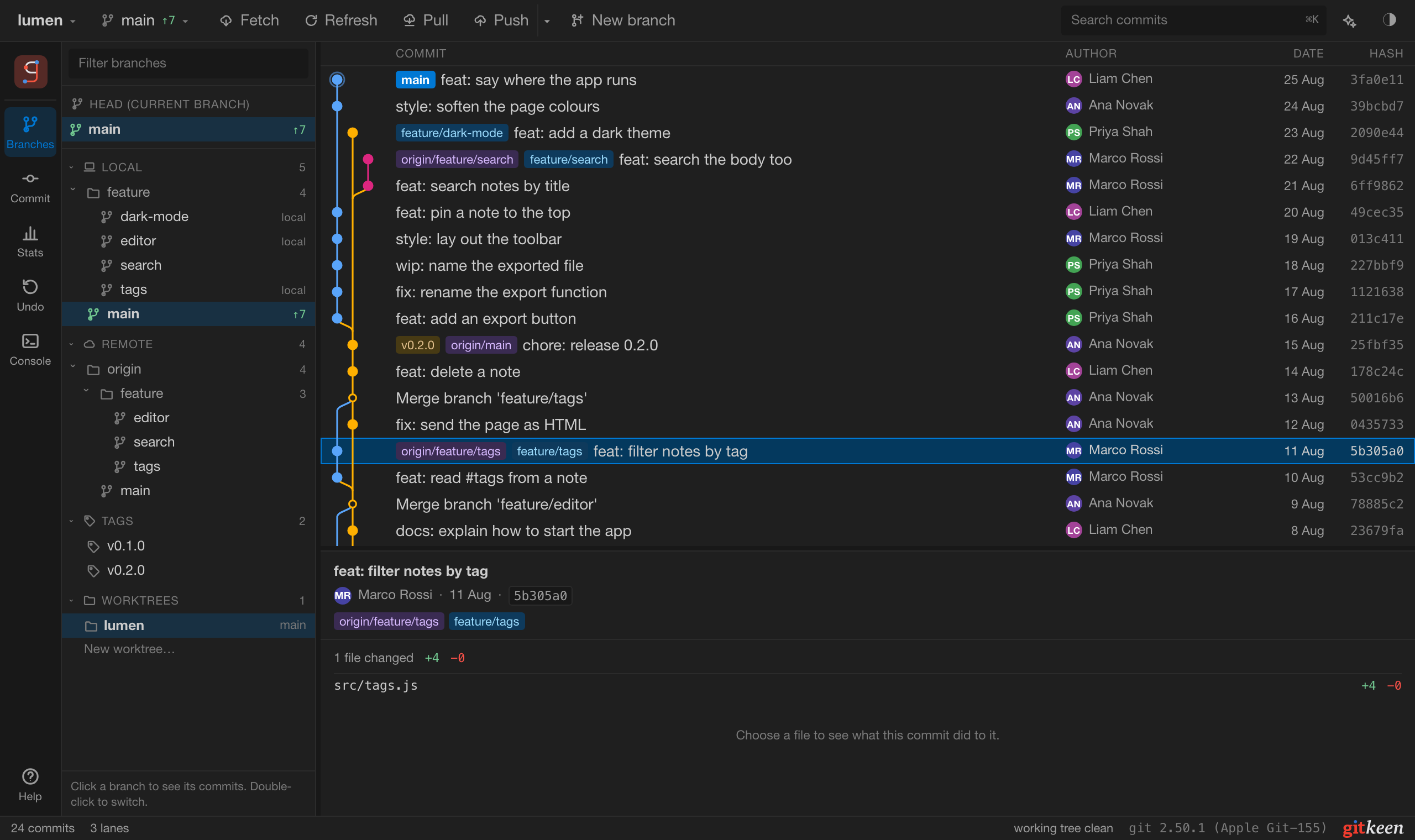
Gitkeen sits next to your editor and handles the Git side: commits, branches, history and the mistakes you want to take back.
Getting startedThe full commit graph, with branches, merges and tags as lanes. Search the whole history by message, author, file or date.
Stage whole files, single hunks or single lines. What you tick is exactly what Git's index holds.
Squash, reorder, reword, drop, cherry-pick, revert and reset from the commit menu, or plan a whole rebase and drag the commits into order.
Every risky operation says what it will change first: which commits a force push removes, which files a merge will conflict on.
Gitkeen saves a recovery point before it rewrites or deletes anything. One click on Restore puts it back.
Gitkeen does not edit code. Use any editor you like.
The console runs Git commands with suggestions from your repository, and shows the result as a picture.
Tick files to stage them, or open the diff viewer to stage single hunks and lines. Amend the last commit, sign it, or set work aside in a stash.
Committing
Gitkeen reads the repository's commitlint rules and names each broken rule while you type. Suggest writes a subject that follows them, with an AI model of your choice.
Commit messages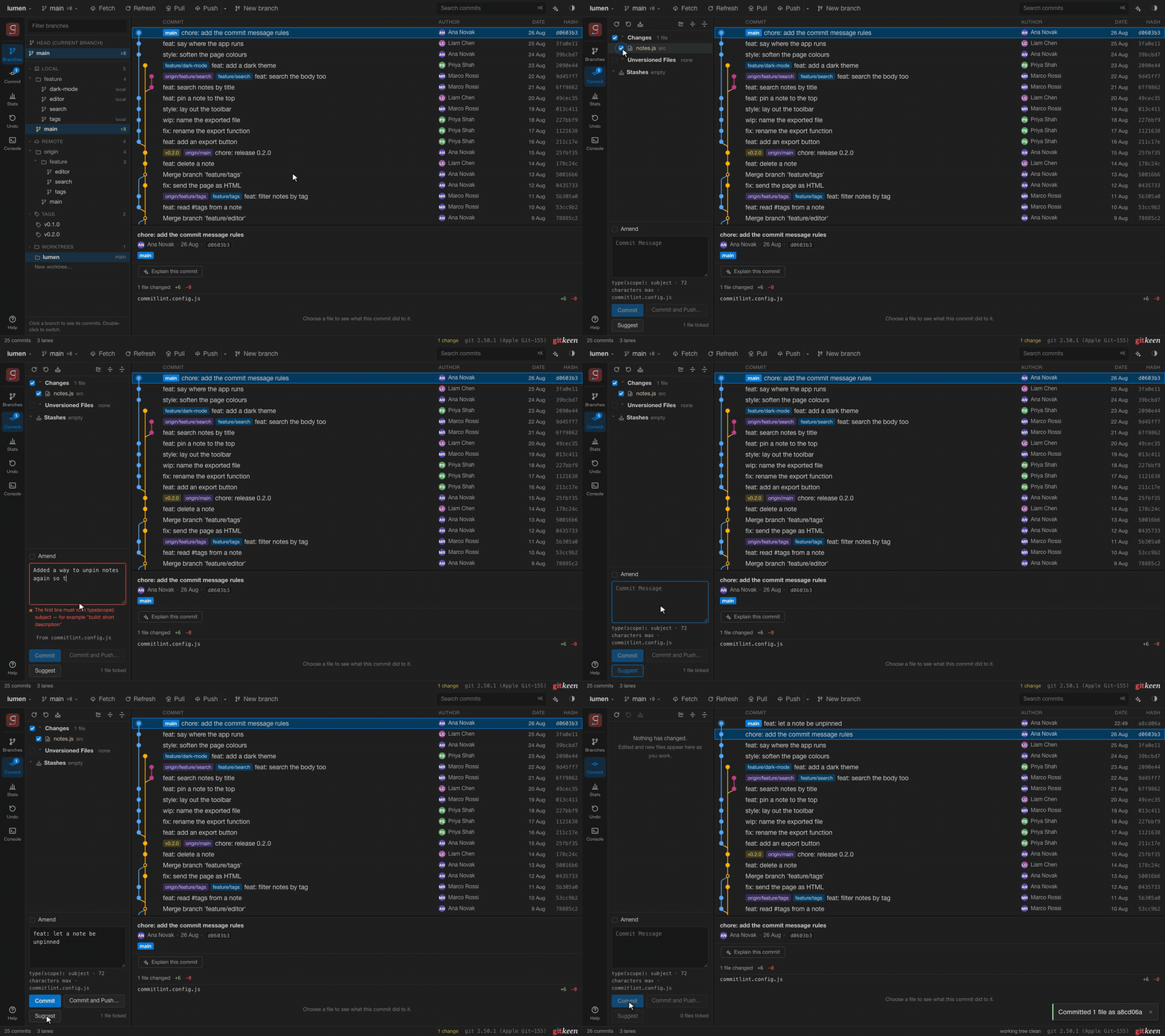
Right click a commit and choose Rebase from here. Drag commits into a new order, and choose pick, reword, edit, squash, fixup or drop for each one. Nothing runs until you press Start rebase.
Changing history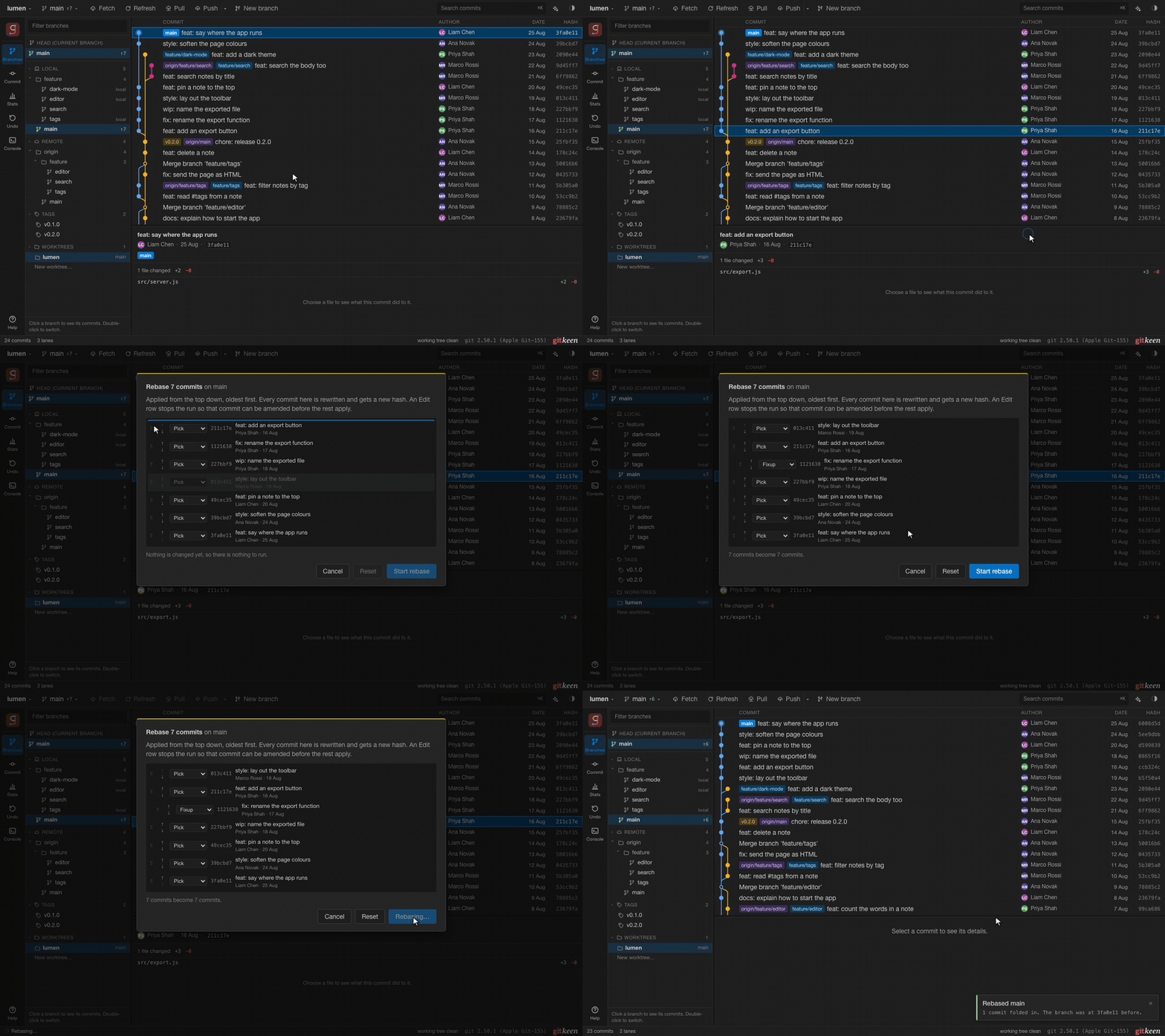
When a merge, pull or rebase stops on a conflict, resolve each block by keeping ours, theirs or both, or edit the result by hand.
Branches, remotes and conflicts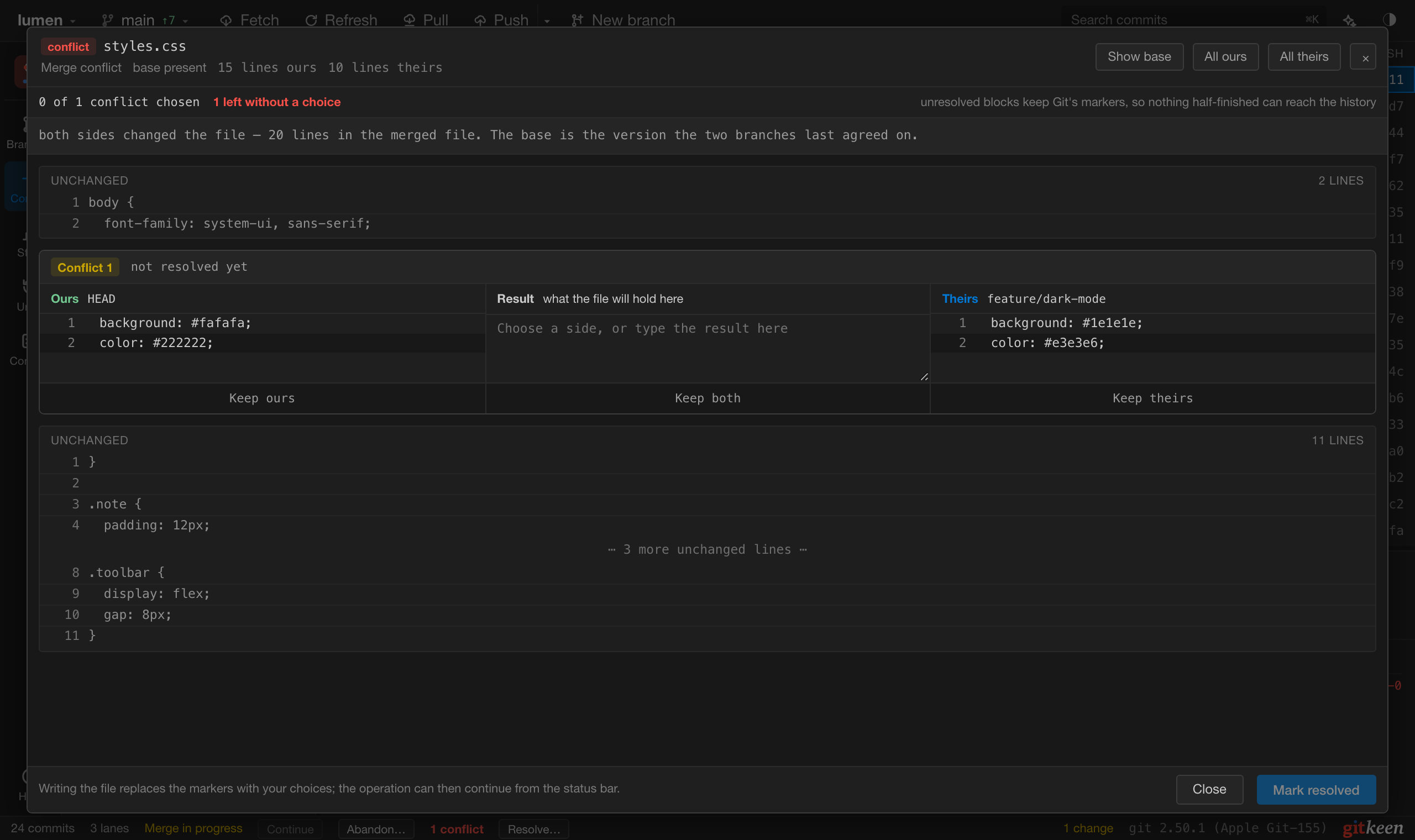
Every reset, squash, rebase, drop, deleted branch and force push is listed. Restore puts things back as they were.
Undo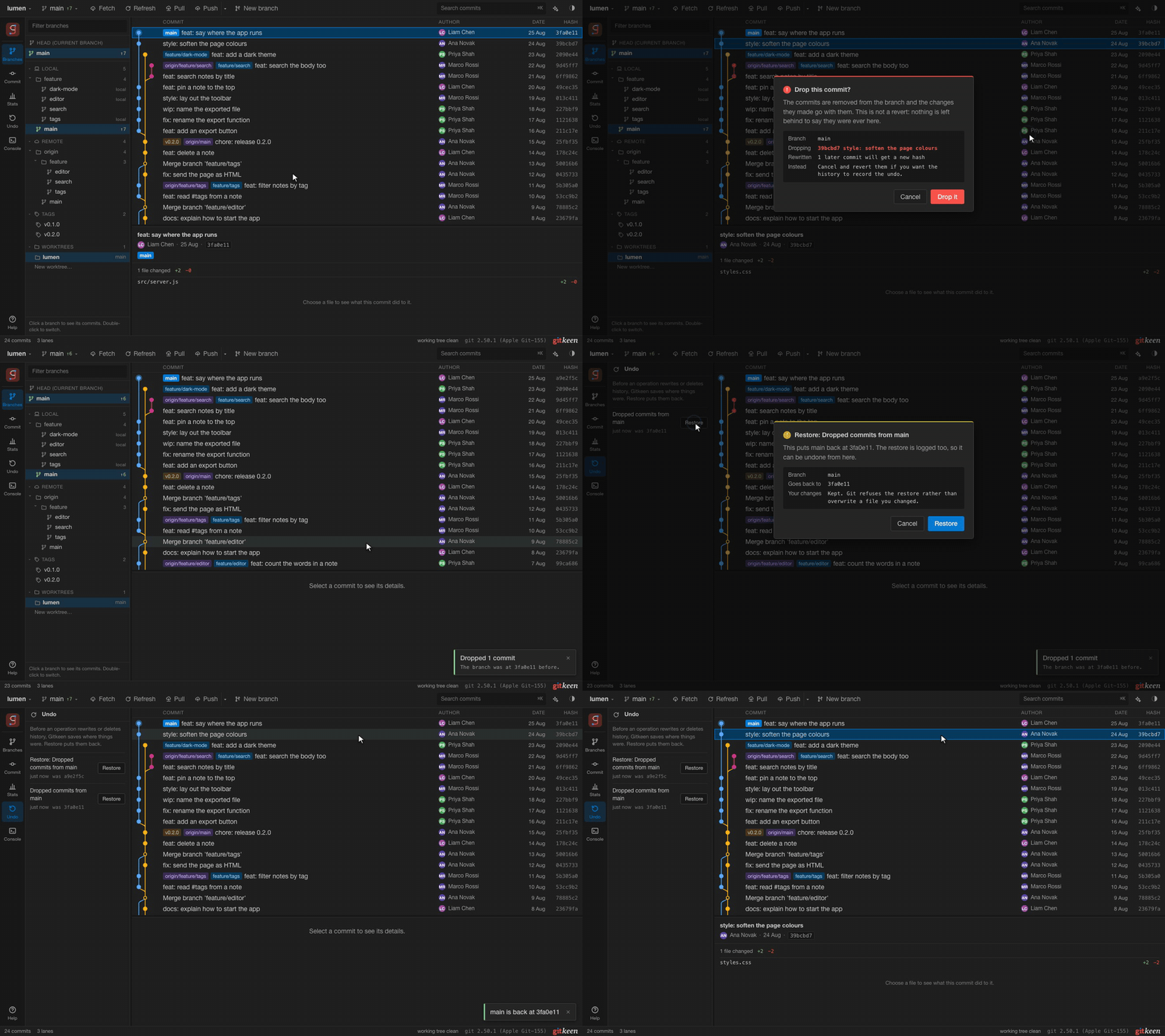
Type status, log or switch main, with suggestions for commands, options, branches and files.
The console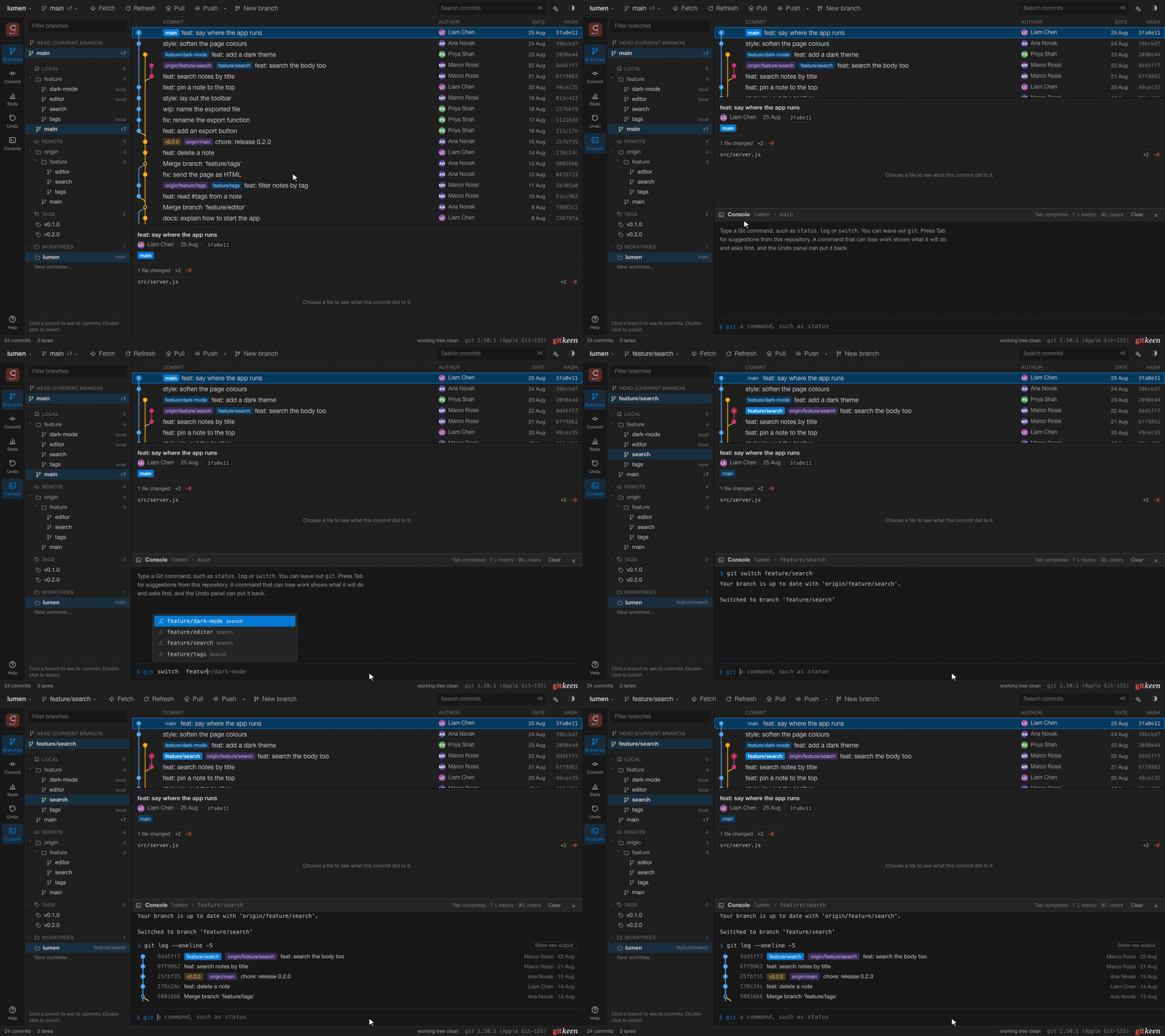
Download Gitkeen from the Releases page. Open the newest release, and under Assets choose the file for your system. You also need Git 2.30 or newer.
The app is not signed yet, so macOS and Windows ask once before they open it. Installing Gitkeen shows the steps. Gitkeen is a pre-release for now. From the first full release on, it updates itself when a new version is out.
You need Git 2.30 or newer and Node.js 20 or newer.
git clone https://github.com/tgomilar/gitkeen.git
cd gitkeen
npm install
npm run dev
Open http://localhost:5183, paste the path of a repository and press Open.
| Your system | File |
|---|---|
| macOS on Apple silicon (M1 and newer) | Gitkeen-macOS-Apple-silicon.dmg |
| macOS on Intel | Gitkeen-macOS-Intel.dmg |
| Windows 10 and 11 | Gitkeen-Windows-Installer.exe |
| Linux | Gitkeen-Linux.AppImage |
| Debian and Ubuntu | Gitkeen-Linux.deb |