
The console
The console is for people who like to type Git commands. Open it with Console in the rail, or with Control and the backquote key (Control with `). It opens along the bottom of the window. Drag its top edge to change its height.
Typing commands
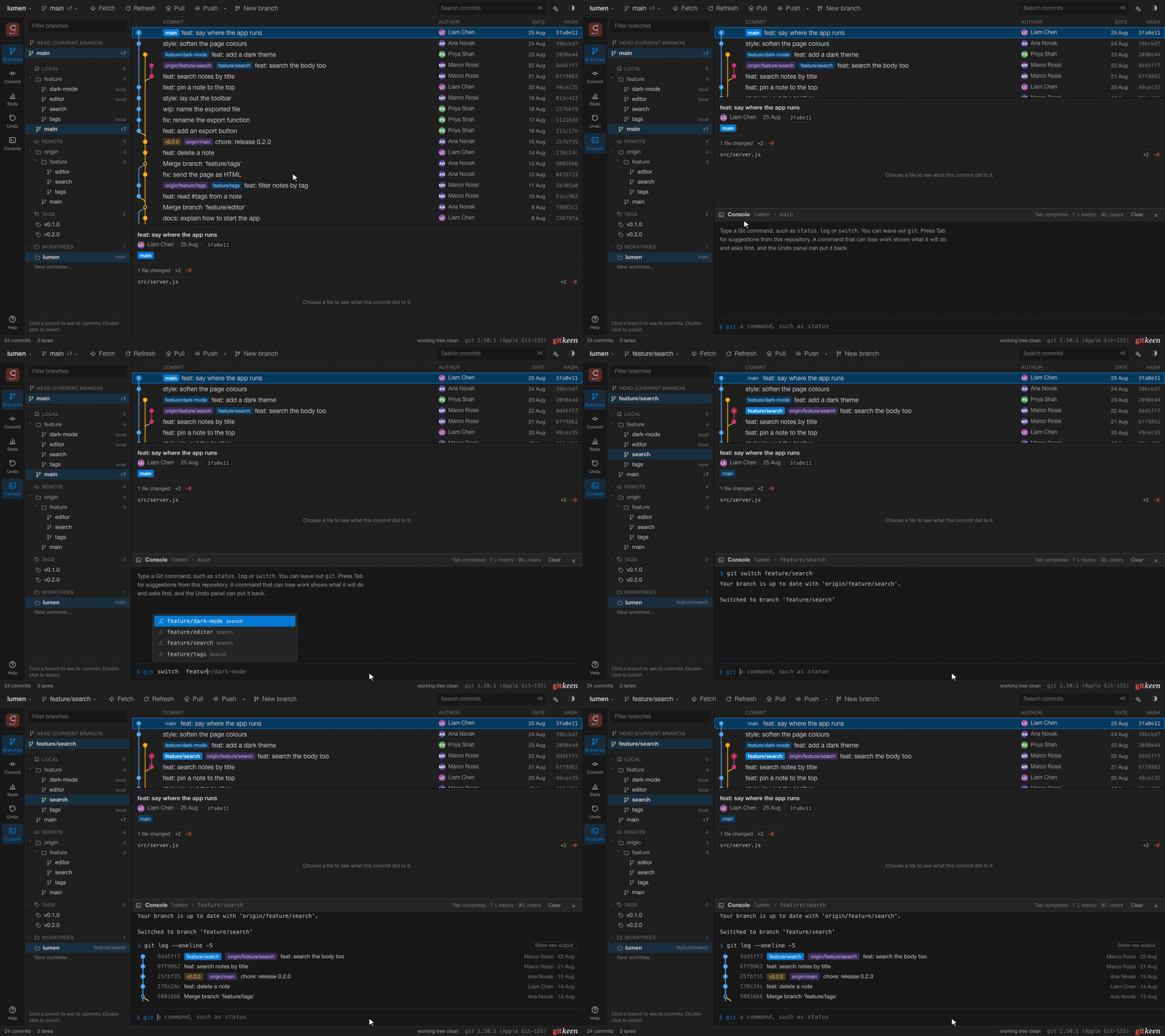
Type a command such as status, log or switch main. You can leave out
git. Press Tab, or use the arrow keys and Enter, to take a suggestion. The
suggestions come from the open repository:
| You type | Gitkeen suggests |
|---|---|
| The start of a command | Commands, each with a short description. |
A - after a command | That command’s options, each with a short description. |
| A place that takes a branch | The branches. For switch and merge, the current branch is left out. |
| A place that takes a file | The changed files. After restore --staged, the staged files. |
| A place that takes a commit | The recent commits with their subjects, and the tags. |
stash pop and similar | The stashes, with their messages. |
The Up and Down keys bring back the commands you typed before in this repository. Command or Control with L clears the console.
Results as pictures
Gitkeen draws the result of these commands. Show raw output switches to Git’s own text.
| Command | How the result is shown |
|---|---|
status | The files in groups: conflicts, staged, not staged and untracked. Click a file to open its diff. |
log | A small graph with the branches and tags. Click a commit to select it in the main graph. |
diff and show | The change in colour, with each file’s code colours. |
branch | Each branch, with how many commits it is ahead of and behind its upstream. |
stash list | Each stash, with its message, branch and age. |
When a command fails, Gitkeen says what went wrong in plain words and how to fix it.
Learning the commands
When you use a button, the console shows the Git command that does the same thing. You can learn the commands while you work.
What keeps the console safe
- The console runs Git only. It does not start a shell, so
|,;,&&and$(…)are refused as you type. - Only everyday Git commands are allowed, and none of the options that make Git start another program.
- A command that can lose work shows what it will do before you press Enter. After Enter it asks again, with Run it and Cancel.
- Before such a command runs, Gitkeen saves a recovery point for each branch, file, tag or stash it could lose. The Undo panel can put them back.
- A command that would wait for an editor opens Gitkeen’s own editor instead.
rebase -iopens the rebase editor,add -popens the diff viewer to stage hunks, andcommitwithout a message opens the commit panel.